

Phoenix Browser
Screenshots


|
Developer
|
Shalltry Group |
|
Category
|
Communication |
|
Installs
|
110,000,000 |
|
Version
|
3.1.9 |
|
Content Rating
|
3 |
|
Price
|
Free |
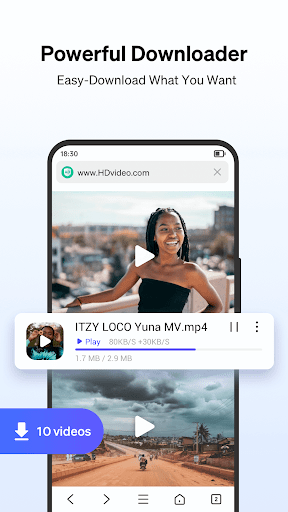
Phoenix Browser is one of the most useful free web browsers for Android devices with quick Video Downloading, Private Browsing, and Data Saving. Phoenix Browser makes a wide range of online videos downloadable with its video detect function. Besides, its Private Mode won’t leave any trace when you search the Internet, and the lightweight mobile browser offers you for faster downloading speed.
Main Features:
- Smart Download: With the smart detection function, Phoenix Browser can automatically detect downloadable videos, so you can download and save online videos from almost every site. The downloading icon in the address bar will show you whether there are online videos to download.
- Privacy Mode: Erase your history easily and leave no trace when searching the Internet. Private space for video downloading and protect your privacy.
- Bookmarks/History: Bookmarks help save your favorite websites and offer quick navigation for next visit. History list helps with recollection. Both will save your time on finding your favorite websites.
- Data Saving: Phoenix Browser can compress data and helps save lots of cellular data traffic.
- Add To Shortcut: You can add your frequently accessed websites like Facebook, Twitter, Instagram, YouTube, Amazon, Wikipedia, etc.for a quick visit.
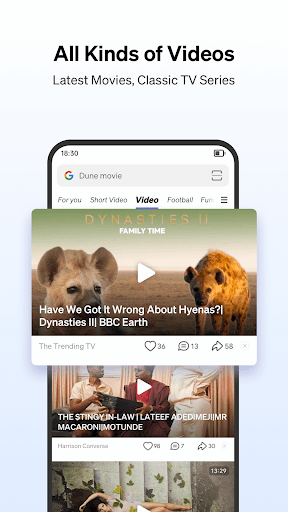
- Built-in Video Player: The built-in video player offers a one-stop service from video downloading to video playing, so you can watch videos without exiting the app.
- Multi-Tab Manager: Multi-tab manager allows you to switch pages from multiple websites and makes your browsing experience smoother.
More:
- Night/Bright Mode: Night mode can protect your eyes when searching in the darkness, while bright mode prevents the screen from going dark.
- Screenshot: You can crop any contents in webpages, and Graffiti is allowed on the screenshots.
- Switch to PC Website: Support cross-device browsing, for example, from mobile to PC browser mode.
- Sync: Support import and sync your history and bookmarks via a Google account.
100% Safe
Explore More Similar Apps


