





YouTube App Review: The Ultimate Video Platform at Your Fingertips
YouTube has become an indispensable part of our digital lives, offering endless entertainment, education, and inspiration. The YouTube mobile app brings this vast library of videos directly to your smartphone, making it easier than ever to watch, share, and discover content on the go. In this review, we’ll explore the app’s key features, usability, and what makes it stand out in the crowded world of video streaming.
User-Friendly Interface
The YouTube app boasts a clean, intuitive interface that makes navigation effortless. The home screen is personalized based on your viewing history and preferences, displaying recommended videos, trending content, and subscriptions. The bottom navigation bar provides quick access to key sections like Home, Shorts, Subscriptions, and Library, ensuring a seamless browsing experience.
Search functionality is robust, with voice search and filters to help you find exactly what you’re looking for. Whether you're into cooking tutorials, gaming streams, or music videos, YouTube’s algorithm does an excellent job of curating content tailored to your interests.
Key Features That Enhance the Experience
1. YouTube Premium & Background Play: For those who want an ad-free experience, YouTube Premium is a game-changer. It also enables background play, allowing you to listen to videos while using other apps or when your screen is off—perfect for music and podcasts.
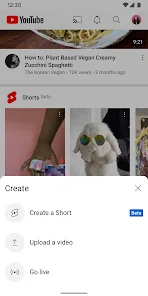
2. YouTube Shorts: The app’s answer to TikTok, Shorts offers bite-sized, engaging videos in a vertical format. It’s a great way to discover new creators and trends quickly.
3. Offline Viewing: With YouTube Premium, you can download videos to watch later without an internet connection—ideal for travelers or those with limited data.
4. Live Streaming & Community Posts: The app supports live streaming, making it easy to watch events in real-time. Additionally, creators can share updates via Community posts, fostering better interaction with subscribers.
Performance & Compatibility
The YouTube app runs smoothly on both iOS and Android devices, with fast loading times and minimal buffering (depending on internet speed). Video quality adjusts automatically based on your connection, but you can manually select resolutions up to 4K on supported devices. The app also integrates well with smart TVs and casting devices like Chromecast.
Privacy & Parental Controls
YouTube offers several privacy features, including an incognito mode for private browsing and restricted mode to filter out mature content. For families, YouTube Kids provides a safer, curated environment for children.
Final Verdict
The YouTube app remains the gold standard for video streaming, combining a vast content library with powerful features and excellent usability. Whether you're a casual viewer or a dedicated fan, the app delivers a top-tier experience. While ads can be intrusive, upgrading to YouTube Premium unlocks a more seamless and feature-rich experience.
If you haven’t already, download the YouTube app today and dive into the world of endless video content—wherever you are!


