

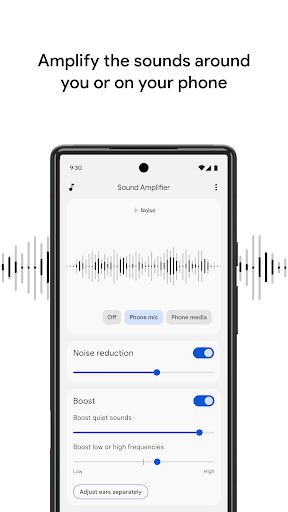
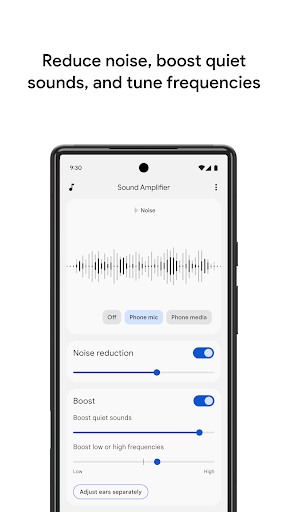
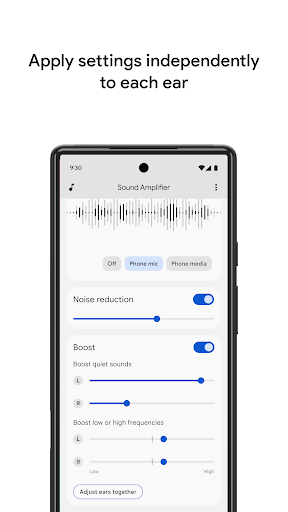
Sound Amplifier enhances audio from your Android device, using headphones to improve listening clarity. Use Sound Amplifier to filter, augment, and amplify sounds around you and on your device. Sound Amplifier increases important sounds, like conversations, without over-boosting distracting noises. With two simple sliders, you can quickly customize sound enhancement and reduce background noise.
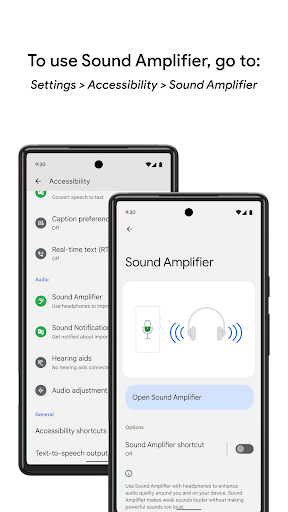
Available for devices with Android 6.0 and later. To start using Sound Amplifier, connect your headphones (wired or Bluetooth) then go to Settings > Accessibility > Sound Amplifier.
Features
• Boost important sound and reduce unwanted or distracting noise around you and on your device.
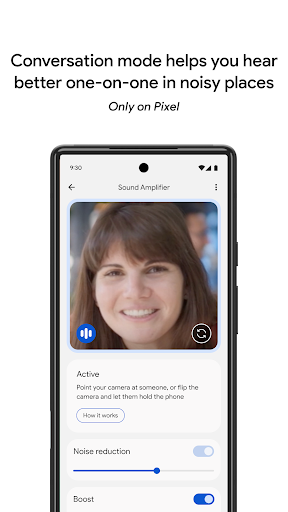
• Listen to conversations, or use Bluetooth headphones to help you hear things like TVs or lectures. (Bluetooth headphones might have delayed sound transmission.)
• Filter, augment and amplify video and audio playing on the phone. (Available on Pixel phones with Android 10, Dec 2019 or newer system update.)
• Personalize your listening experience by adjusting audio or microphone settings with the simple tuning UI.
• See what’s going on around you with the audio visualization.
Once you’ve tuned Sound Amplifier to a setting you like, you can turn it on and off using the Accessibility button or gesture.
Permissions Notice
• Phone: The phone status will allow Sound Amplifier pause when there is an incoming or outgoing call.
• Microphone: Access to the microphone will enable Sound Amplifier to process the audio for amplification and filtering. No data is collected or stored.
• Accessibility Service: Because this app is an accessibility service, it can observe your actions, retrieve window content, and observe text that you type.


