






*NEW* + Bookmarks
Easily track and manage important project items with bookmarks on mobile. You can now bookmark items from: Change Events, Commitments, Drawings, Observations, RFIs, Submittals, T&M Tickets, Inspections, Incidents, Punch List.
Procore is the leading construction management platform that connects over 2 million construction professionals in more than 150 countries. Procore provides owners, general contractors, and specialty contractors with the tools they need to get the job done.
Access to critical project information, powerful collaboration tools, and streamlined processes make it easy to stay on schedule and on budget. Companies that use Procore can experience more work capacity, weekly hours saved, and greater project visibility.
FIELD ENABLEMENT
Procore’s field enablement tools increase productivity for field teams by connecting office and field teams in real-time.
Drawings
View drawings and revisions from start to finish, even while offline.
Daily Log
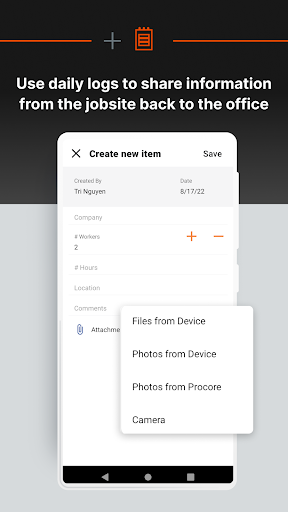
Keep track of every detail including labor, communication, equipment, materials, and job site events each and every day.
Punch List
Use your mobile device to create and assign punch list items directly from the field, where most issues are likely to be found.
RFIs
Keep RFIs organized and accessible, and quickly turn RFIs into actions.
Photos
Capture progress photos of your project from your mobile device and link them to project drawings by location.
Documents
Track employee or crew time for all projects.
WORKFORCE MANAGEMENT
Put the right people on the right jobs and track real-time productivity with Procore’s workforce management solutions. Easily manage crews, schedules, and tasks to optimize your workforce’s productivity.
Timecards
Have anyone on the team enter project time from the office, the trailer, or the field directly from their mobile device.
Timesheets
Track employee or crew time for all projects.
Time and Material Tickets
Document and track out-of-scope work to get paid for everything you do.
PROJECT MANAGEMENT
Connect teams and project information with access to all the tools you need to manage your projects.
Specifications
Access specs and plans from anywhere to make informed decisions and keep the project moving forward.
Submittals
Mark up and stamp submittals directly in Procore.
Schedule
Use Procore with your scheduling software to create, edit, and share schedules.
QUALITY & SAFETY
Procore’s quality and safety management solutions help field teams more easily comply with safety regulations and quality specifications. Access to tools on your mobile device like Observations, Incidents, and Inspections help you achieve the highest quality build in the safest environment.
Observations
Create observations from the field as you come across them, or create one from a pre-planned inspection.
Incidents
Create injury or illness, near miss, environmental and property damage records, and utilize incident data to identify risks and take preventative actions.
Inspections
Proactively identify hazards and help stay ahead of safety issues. Manage, baseline, and improve your construction quality performance processes all from your mobile device.
PROJECT FINANCIALS
Procore’s cost management solutions make it easier to collaboratively manage project costs.
Commitments
Access real-time statuses and current values of all contracts and purchase orders from anywhere.
Change Events
Track and manage potential changes to your budget as they occur in one centralized place.


