

What Makes Dropbox a Market Leader in Cloud Storage?
In the crowded landscape of cloud storage services, Dropbox has consistently maintained its position as a pioneering force since its launch in 2007. Unlike many competitors that focus solely on file backup, Dropbox has evolved into a comprehensive collaboration platform designed for individuals, teams, and enterprises. With over 700 million registered users, its unique selling point lies in its seamless sync engine—often hailed as the gold standard for reliability. Files update across devices in real time without manual intervention, ensuring your work is always accessible, whether you’re on a laptop, smartphone, or tablet. This frictionless experience is powered by smart caching and delta sync technology, which uploads only the changed parts of a file, saving both time and bandwidth.
Core Features That Set Dropbox Apart
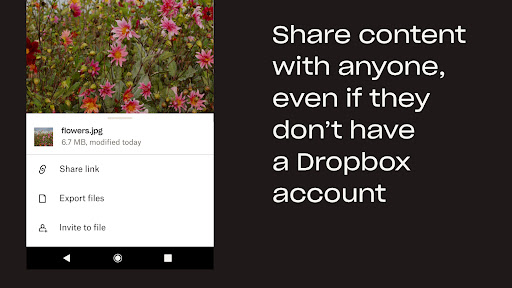
Dropbox’s competitive edge is defined by several standout features. First, its "Smart Sync" capability allows users to see and access all files in their Dropbox folder without downloading them locally, saving precious hard drive space. Second, the "File Requests" feature lets anyone—even non-Dropbox users—upload files directly to your account, making it ideal for collecting project assets or client deliverables. Third, integrated "Paper" documents offer a lightweight, collaborative workspace for notes, tasks, and brainstorming. Additionally, Dropbox’s "Rewind" feature (available on paid plans) lets you roll back entire folders to any point in the past 30 or 180 days, offering robust recovery from ransomware attacks or accidental deletions. These tools collectively transform Dropbox from a simple storage app into a productivity ecosystem.
Seamless Collaboration and Third-Party Integrations
Dropbox shines in team environments, offering shared folders with granular permission controls. You can set view-only, edit, or comment access for each collaborator. The app’s native file preview supports over 175 file types, including PDFs, videos, and 3D models, reducing the need for additional software. More importantly, Dropbox integrates deeply with over 300,000 third-party apps, including Google Workspace, Microsoft Office 365, Slack, Zoom, and Adobe Creative Cloud. For instance, you can edit a Word document directly within Dropbox and save changes back to the cloud without leaving the interface. This interoperability reduces context-switching and streamlines workflows, which is a critical differentiator against fragmented competitors like Google Drive or iCloud.
Security and Cross-Platform Consistency
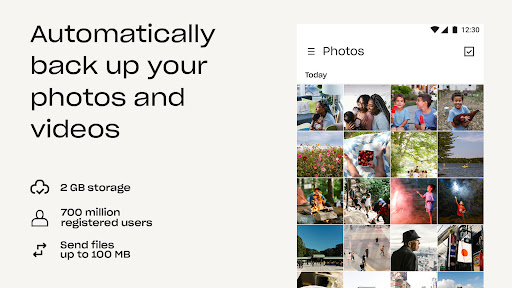
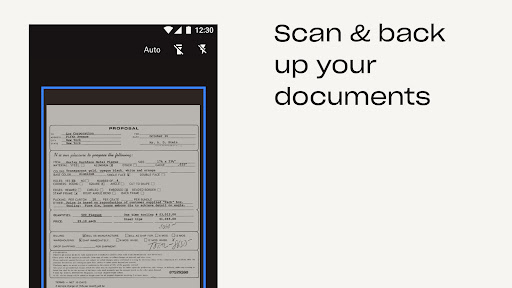
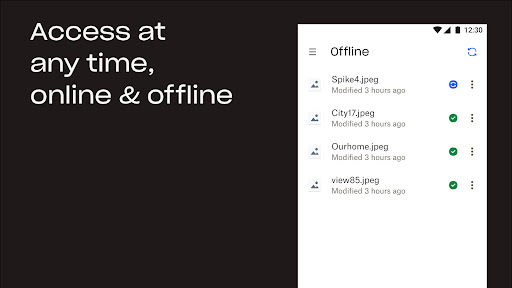
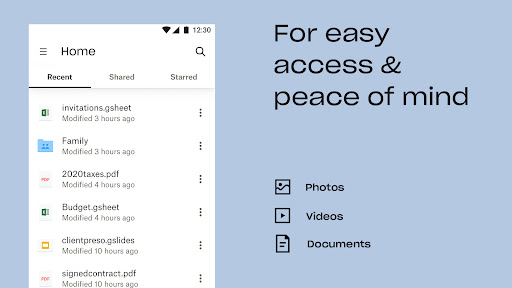
Security is a cornerstone of Dropbox’s trust. All files are encrypted at rest (using 256-bit AES) and in transit (TLS). Enterprise users can enforce two-factor authentication, remote wipe, and granular admin controls. The app also offers "Dropbox Vault" for sensitive files, requiring an additional passcode or biometric verification. On mobile, these security features are equally robust, with fingerprint or face unlock options. Cross-platform consistency is another strength: the mobile app mirrors desktop functionality, including Smart Sync, offline file access, and document scanning. A standout mobile feature is the ability to automatically back up camera photos and videos, organizing them into searchable albums with AI-generated tags like "Sunset" or "Graduation."
Pricing, Limitations, and Competitive Position
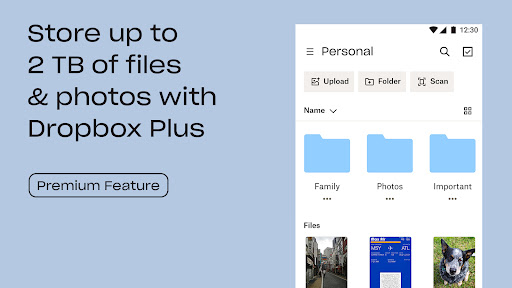
Dropbox’s free tier offers 2 GB of storage—modest compared to Google Drive’s 15 GB. However, the value lies in its reliability and features. Paid plans start at $9.99/month for the "Plus" plan (2 TB), while "Family" (2 TB for up to 6 users) and "Professional" (3 TB) cater to different needs. Business plans begin at $15/user/month for 5 TB. The main limitation is cost: heavy users may find unlimited alternatives like Google Drive or MEGA more affordable. Additionally, Dropbox lacks built-in office apps like Google Docs or Microsoft 365, relying instead on integrations. Yet for professionals who value sync precision, smart file management, and zero-downtime reliability, Dropbox remains the premium choice. Its "Smart Sync" alone can save gigabytes of local storage, and its security posture continues to earn trust from Fortune 500 companies. In short, Dropbox is not just storage—it’s a productivity partner designed for those who demand seamless access and control.


