












Google Maps Review: The Ultimate Navigation Companion
In the world of navigation apps, Google Maps stands out as a reliable, feature-rich, and indispensable tool for millions of users worldwide. Whether you're commuting, traveling, or exploring new places, Google Maps offers real-time directions, traffic updates, and a wealth of local information—all in one seamless interface. This review explores its key features, usability, and why it remains a top choice for navigation.
Key Features of Google Maps
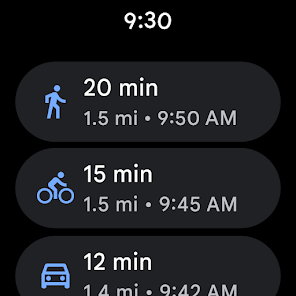
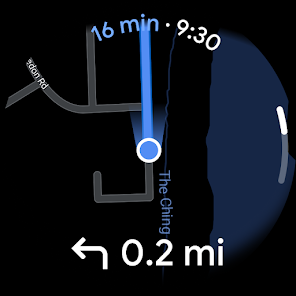
1. Real-Time Navigation & Traffic Updates: Google Maps excels in providing accurate turn-by-turn directions for driving, walking, cycling, and public transit. Its real-time traffic data helps users avoid congestion, accidents, and road closures, ensuring the fastest route possible.
2. Offline Maps: One of the app’s most useful features is the ability to download maps for offline use. This is perfect for travelers who may not have consistent internet access but still need reliable navigation.
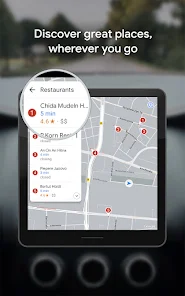
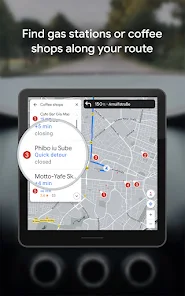
3. Local Business Search & Reviews: Beyond navigation, Google Maps serves as a powerful search tool for restaurants, gas stations, ATMs, and other points of interest. User reviews, photos, and ratings help make informed decisions.
4. Street View & Indoor Maps: The immersive Street View feature allows users to virtually explore locations before arriving, while indoor maps are available for airports, malls, and large venues.
5. Integration with Google Services: Google Maps seamlessly syncs with other Google services like Calendar (for event locations) and Gmail (for reservation confirmations), making trip planning effortless.
User Experience & Interface
Google Maps boasts a clean, intuitive interface that prioritizes ease of use. The search bar is prominently placed, and recent searches are saved for quick access. The map itself is highly interactive—zooming, tilting, and rotating provide different perspectives depending on the user’s needs.
Voice-guided navigation is another standout feature, allowing hands-free operation while driving. The app also adapts to user preferences, suggesting frequent destinations and faster routes based on historical data.
Performance & Reliability
Google Maps is known for its accuracy and frequent updates. The app continuously improves with new features like Live View (augmented reality walking directions) and eco-friendly route options. However, occasional glitches, such as delayed traffic updates or incorrect business hours, can occur—though these are rare.
Battery consumption can be high when using GPS navigation for extended periods, but the app offers battery-saving modes to mitigate this issue.
Privacy & Data Usage
While Google Maps collects location data to enhance its services, users have control over their privacy settings. Location history can be paused or deleted, and incognito mode prevents activity from being saved. Data usage varies, but offline maps significantly reduce mobile data consumption.
Competitive Edge
Compared to alternatives like Apple Maps or Waze, Google Maps offers a more comprehensive experience with its extensive database, multi-modal navigation, and integration with Google’s ecosystem. Waze may excel in crowd-sourced traffic reports, but Google Maps provides a more polished, all-in-one solution.
Final Verdict
Google Maps remains the gold standard for navigation apps, combining precision, versatility, and user-friendly design. Whether you're a daily commuter or an international traveler, its robust features make it an essential tool. While no app is perfect, Google Maps consistently delivers a reliable and enriching experience.
Rating: ★★★★★ (5/5)
For anyone in need of a dependable navigation assistant, Google Maps is undoubtedly the best choice available today.


