




Effortlessly manage your day!
Know what's next, get more done, never forget anything!
Calendar Notify is a companion app for your existing Calendar (Google Calendar or any other Android calendar app that supports Android calendars).
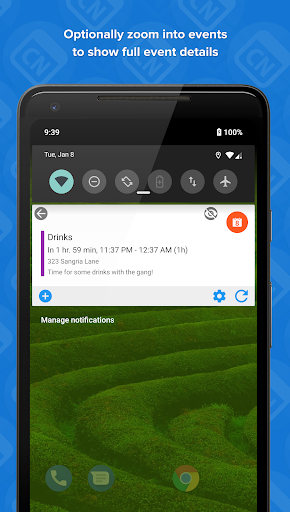
Your upcoming calendar schedule events will show on the lock screen, status bar or in a widget.
At a glance access to your agenda, schedule, roster and meetings from everywhere on your Android device.
Apply beautiful designs and style them your way to make your events stand out.
Features simple and advanced built in designers to allow you to completely customize.
The calendar widget is similar to the notification and allows you to place your calendar on your lockscreen on pre Android 5 devices. Alternatively you can place the smooth calendar widget with your agenda on your home screen for easy access.
Some standout features include:
• Simple designer
Quickly and easily apply a new design to change the appearance of your agenda
• Advanced designer
Take complete control over the appearance and information displayed using the Advanced editor (Premium)
• Ultimate control
Tons of options to play with. The majority are available for free, with additional advanced options available after upgrading to premium.
• Backup and Restore
Complete control over your backups with the ability to store on Google Drive.
• Quick access
Tap an event to open your calendar application and immediately display the event
• And more!
Natural language informs when an event will start or end
Event Colors can be used to decorate the events
Simple filtering options to only see events that you are truly interested in
Frequent updates and improvements
★ Premium Edition features ★
• Advanced designer - Customize the notification and widget designs with incredible control over the design and layout of your agenda events and their colors, sizes and styles
• Hide the icon on the notification to give more space for the event details
• Choose from various Icon types
• Allow events to be hidden and zoomed into, displaying further information
• Customize dynamic time settings
• And lots more!
Purchasing the premium Edition is a once-off, non-recurring and entirely optional in-app purchase which directly supports development and continued future improvements.
Status Agenda has been removed from the store, use Calendar Notify instead!


