

Galaxy Wearable
Screenshots

|
Developer
|
Samsung Electronics Co., Ltd. |
|
Category
|
Tools |
|
Installs
|
980,000,000 |
|
Version
|
2.2.61.24112961 |
|
Content Rating
|
3 |
|
Price
|
Free |
Pros
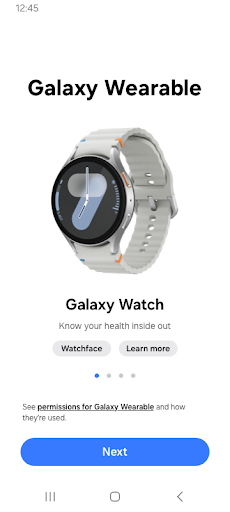
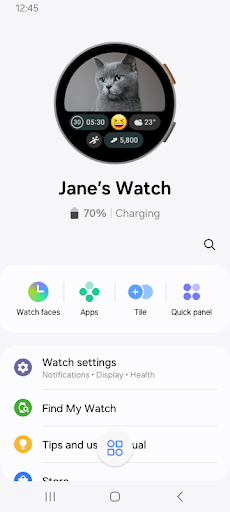
Galaxy Wearable (Samsung Gear) makes pairing and managing your Galaxy Watch and earbuds effortless. The app offers reliable Bluetooth setup, one-tap device connection, automatic firmware updates, notification controls, and battery monitoring so accessories stay connected and optimized. Intuitive device lists and diagnostics simplify troubleshooting across Galaxy phones and tablets.
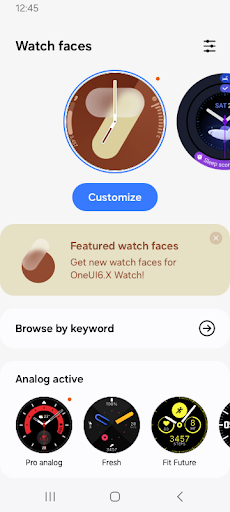
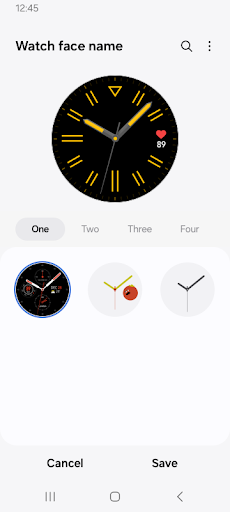
Extensive customization tools in Galaxy Wearable let you personalize watch faces, widgets, and app layouts for a truly unique wrist experience. Browse the Galaxy Store for third‑party watch apps and complications, adjust quick settings, create routines, and fine-tune notification filters so your wearable reflects your style and daily priorities.
Samsung Health integration in Galaxy Wearable syncs activity, heart rate, sleep, and workout data to your phone for deeper insights and trend tracking. Combined with automatic updates, device diagnostics, find-my-device tools, and power-saving settings, the app centralizes health, performance, and maintenance to keep wearables dependable and ready to use.
Cons
The Galaxy Wearable (Samsung Gear) app has limited compatibility: many advanced features are restricted to Samsung phones, and iOS support is basic. Non‑Samsung Android devices often lose functionality like full health‑tracking, custom watch faces, and firmware features, forcing users to choose specific phones for the complete experience.
Bluetooth connections and syncing can be unreliable with the Galaxy Wearable app. Users report intermittent disconnections, delayed or missing notifications, and frequent re‑pairing requirements. These issues disrupt call, message, and fitness data syncing, undermining the convenience of a connected wearable and requiring repeated troubleshooting and device restarts.
The app’s background activity and extensive permission requests can cause noticeable battery drain and device performance slowdown. Complex settings, multiple permission prompts, and a steep setup curve make it confusing for new users. Occasional firmware update failures or long installs add frustration and can temporarily render watches less usable.


