

NAVER
Screenshots




|
Developer
|
NAVER Corp. |
|
Category
|
Books & Reference |
|
Installs
|
400,000,000 |
|
Version
|
12.6.3 |
|
Content Rating
|
0 |
|
Price
|
Free |
Conveniently take advantage of your frequently used tools on the NAVER app.
Find helpful information on the right, check shopping and lifestyle content on the left, and use the search tool Green Dot with improved AI search to increase convenience of your daily life.
Download the NAVER app now to add convenience to your daily life!
1. Find daily information on the home screen
Check weather and economic news on the home screen. You can also find user-friendly events and information on the initial screen!
2. My tools at a glance on Na.
Simply bring up Na. from the top of the home screen when you need personal tools, from authentication and certification to on-site payment, e-coupons, reorders from favorite stores and more!
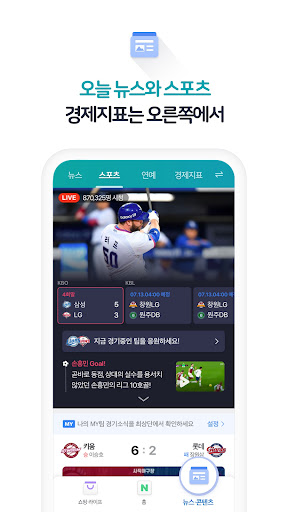
3. Useful information on the right
Find all your favorite content on the right from daily news and global economic news to entertainment, sports and more!
4. Shopping and lifestyle content on the left
Find enjoyable content on the left with Shopping Live’s new daily discounts and lifestyle content like living, recipe, fashion, beauty and more!
5. Everyday convenience with Green Dot AI search
Use the AI search tool Green Dot that adds convenience to your daily life!
Green Dot offers convenient search functions from reverse image search with computer vision and music search for identifying songs to voice search for hands-free searching and location-based search to find information about nearby restaurants and more.
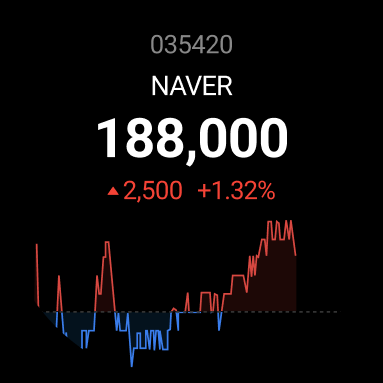
Supporting Android Wear OS Devices
Try using the NAVER app on your Android Wear OS device.
Information that changes in real-time, such as the weather and stock prices, can be checked on your watch. Membership and coupons can also be found, with an on-site payment feature available for use.
- The weather information of current location is provided only in Korea.
Required access rights
- Location: Map and weather information are available based on your current location.
- Camera: Attaching a photo/image or searching through code and image are available.
- Storage: You can upload/download files to your device while using your phone.
- Microphone: Voice search and functions for finding a song using your voice are both available on your device.
- Contacts: You can save contacts, which is required for mobile remittance services offered on NAVER Pay, TalkTalk, and push notifications, in search results such as QR codes.
- Phone: Make phone calls from your contacts, maps, and so on or install a NAVER certificate. You can also find your ID to sign-in, or sign-up a new account.
NOTE
NAVER app can be installed on Android OS 6.0 or higher. If you have problems while using the app, please send your inquiries via NAVER app’s Settings – Customer Center.


