

Microsoft Launcher
Screenshots
|
Developer
|
Microsoft Corporation |
|
Category
|
Personalization |
|
Installs
|
860,000,000 |
|
Version
|
5.11.0.56299 |
|
Content Rating
|
3 |
|
Price
|
Free |
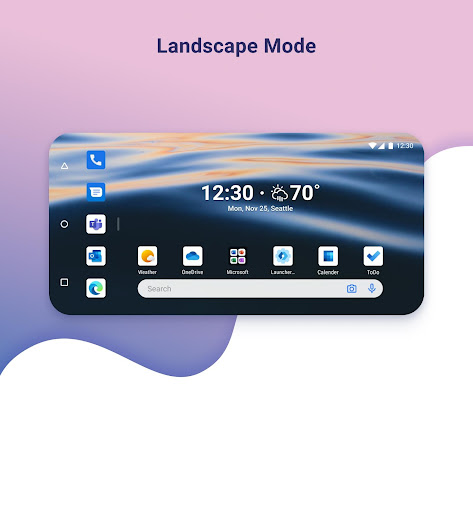
Microsoft Launcher provides a new home screen experience that allows you to seamlessly transition between your Android phone and your PC. Microsoft Launcher makes it easy to continue viewing photos or documents on your PC, empowering you to be more productive across all your devices.
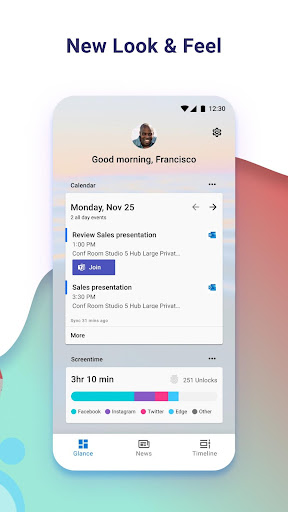
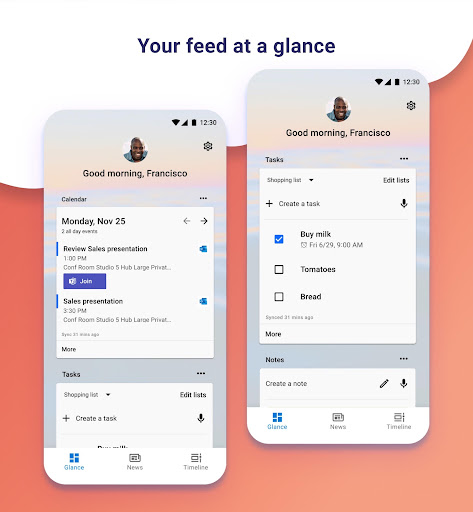
Microsoft Launcher is highly customizable, allowing you to organize everything on your phone. Your personalized feed makes it easy to view your calendar, to do lists, and Sticky Notes on the go. When you set up Microsoft Launcher as your new home screen, you can either start fresh with your favorite apps or import your current home screen layout. Your previous home screen will also remain accessible if you need it.
MICROSOFT LAUNCHER FEATURES
Personalize Your Feed
· Set Microsoft Launcher as your default home screen to enjoy a personalized feed and improved functionality with your other Microsoft apps.
· Customize your feed to see news, calendar events, docs, and contacts at a glance.
· View your calendar card to easily manage your schedule across devices.
· Use Family features to see how much time your kids spend on their phone, and to spot them on a map, at home or on the go.*
Give your phone a new look
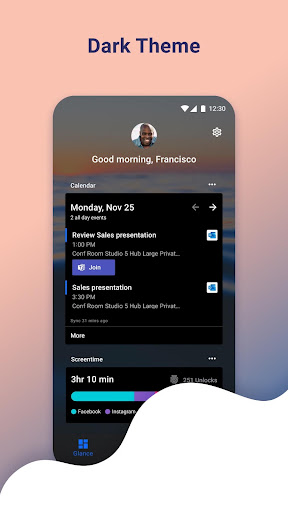
· Choose from light, dark and transparent themes to suit your style.
· Enjoy Bing daily images as your wallpaper, or use your own photos.
· Personalize your apps with custom icon packs, and use adaptive icons to give your icons a consistent look and feel.
Continue on PC
· Photos on your phone are instantly available on your Windows PC.
· Seamlessly transition between editing docs on your phone and on your PC
Search the Web
· Using Microsoft Launcher's universal search bar, you can search the web, your files, apps, docs, and messages all at once.
Gesture Customization
· Gesture customization lets you double tap to lock your phone, swipe up for app drawer and more.
Organize Contacts
· Keep your most important contacts at your fingertips – add them to folders, or pin them to your home screen or dock.
TERMS OF USE
By installing this app, you agree to the Terms of Use (http://go.microsoft.com/fwlink/?LinkID=246338) and Privacy Policy (http://go.microsoft.com/fwlink/?LinkID=248686).
*Requires a Microsoft family account and Android devices signed in with the same Microsoft Family account. Microsoft Launcher must be installed on both a parent’s device and a child’s device to ensure access to a child’s locations and app activities through Microsoft Launcher. Location setting, app usage setting on the child’s device, and Microsoft Family group setting must be enabled. Activity reporting features require Android 5.0+ on the child device.
Continue on PC usage requires a Windows PC with the latest Windows 10 Fall Creators Update
Downloading Microsoft Launcher gives the option to replace the default launcher or to toggle between device launchers. Microsoft Launcher does not replicate the user’s PC home screen on the Android phone. Users must still purchase and/or download any new apps from Google Play. Requires Android 4.2 +.


