

Link to Windows
Screenshots




|
Developer
|
Microsoft Corporation |
|
Category
|
Productivity |
|
Installs
|
110,000,000 |
|
Version
|
1.24112.138.0 |
|
Content Rating
|
0 |
|
Price
|
Free |
Pros
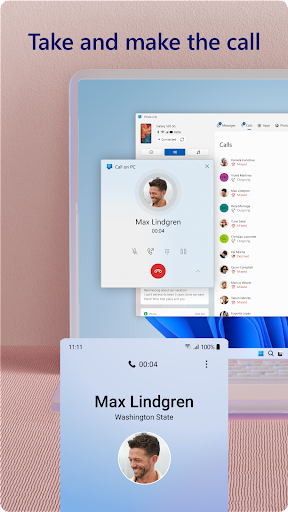
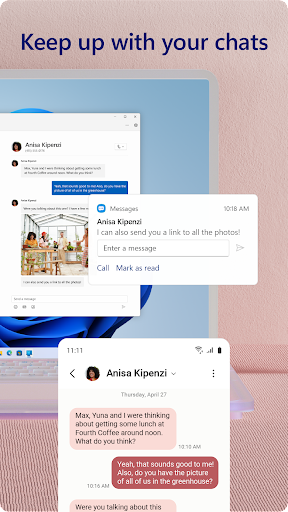
Link to Windows delivers seamless phone-to-PC integration, letting you view notifications, reply to messages, and handle calls directly from your Windows desktop. Real-time sync mirrors your Android screen and lets you use keyboard and mouse for faster responses, so you stay connected and productive without constantly switching devices.
Quick file and photo transfer makes sharing simple: access recent pictures instantly, drag and drop files between devices, and sync your clipboard for copy-paste across phone and PC. Link to Windows reduces friction when moving documents or media, speeding workflows and eliminating email or cloud uploads for routine transfers.
Productivity improves with app continuity and screen mirroring: run Android apps side-by-side on Windows, mirror your phone for presentations, and manage notifications while you work. Secure sign-in through your Microsoft account and encrypted connections keep data safe, creating a smooth, reliable cross-device experience for remote work and multitasking.
Cons
Link to Windows suffers from inconsistent device compatibility and feature fragmentation. Many advanced functions work best on recent Samsung phones; older Android models and iPhones offer reduced capabilities. Users may find app mirroring, call integration, and file transfers unavailable or limited depending on manufacturer, model, and Android version.
Connection reliability and performance can be problematic with Link to Windows. Users report laggy screen mirroring, delayed notifications, or failed file transfers, especially over unstable Wi‑Fi or Bluetooth. The app often requires the phone and PC to be on the same network, limiting remote use and causing interruptions during multitasking.
Privacy and security concerns arise because Link to Windows requests extensive permissions—access to messages, contacts, photos, and call logs—plus integration with your Microsoft account. If a linked PC is compromised or lost, sensitive data could be exposed. Users worried about data control may find the permissions and cloud syncing intrusive.


