

Goodnotes for Android
Screenshots






|
Developer
|
Goodnotes |
|
Category
|
Productivity |
|
Installs
|
740,000,000 |
|
Version
|
1.0.36.0 (v199512) |
|
Content Rating
|
0 |
|
Price
|
Free |
Introducing Goodnotes for Android: A Digital Notebook Powerhouse Arrives
For years, the name Goodnotes has been synonymous with best-in-class digital note-taking on Apple devices. Android users watched with envy as iPad users effortlessly sketched, wrote, and organized with this beloved app. That wait is finally over. The arrival of Goodnotes on the Android platform marks a significant shift, bringing its renowned feature set and intuitive design to a vast new audience. This isn't a stripped-down port; it's a full-fledged commitment to redefining how Android users capture their thoughts.
Core Experience: Writing That Feels Real
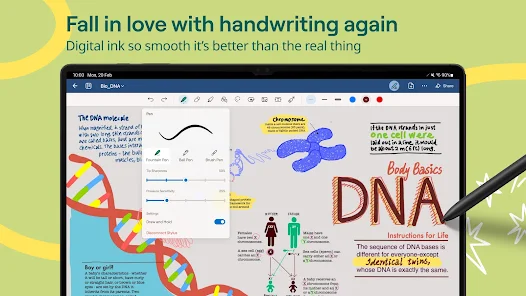
The heart of Goodnotes is its exceptional writing experience. The app utilizes advanced pen technology to deliver remarkably low latency, meaning the ink appears under your stylus (like the S Pen or third-party active styluses) with near-instantaneous response. This creates a feeling of writing on real paper, a critical factor for prolonged note-taking or detailed sketching. Coupled with a wide array of customizable pen styles, pressure sensitivity, and a vast color palette, your digital handwriting can truly reflect your personal style. The zoom window feature is a game-changer for detailed work, allowing you to write neatly in a magnified portion of the page while seeing the broader context.
Organization Mastery: Beyond the Single Notebook
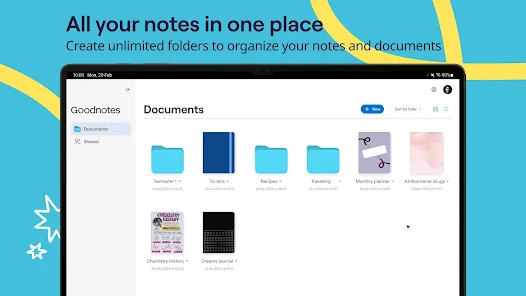
Goodnotes understands that powerful tools are useless without robust organization. The app introduces a logical and visually satisfying hierarchy: Folders > Notebooks > Pages. You can create custom notebooks with a variety of paper styles (lined, grid, dotted, planner templates, and more) and covers, making your digital library both functional and beautiful. The search functionality is legendary, capable of finding text in your own handwritten notes, typed text, and even words within imported PDF documents and images. This transforms your notes from static pages into a truly searchable knowledge base.
Feature-Rich Toolbox for Every Scenario
Goodnotes shines as a multi-purpose tool. It's not just for lecture notes. The app excels as a PDF annotator, allowing you to mark up documents, sign contracts, and fill out forms with ease. The shape tool creates perfect lines and shapes, ideal for students taking math or science notes. The lasso tool lets you select, move, resize, and recolor any element on the page with incredible flexibility. For those who prefer typing, the text box tool offers rich formatting options. Furthermore, the ability to import images, stickers, and other assets makes it perfect for creative journaling, project planning, and brainstorming.
Cross-Platform Sync and Considerations
Goodnotes offers seamless synchronization via its own cloud service (Goodnotes Cloud). This allows your notebooks to be updated and accessible across your Android devices and, notably, on iOS and macOS as well. This cross-platform capability is a major advantage for users who operate in mixed-ecosystem environments. It's important to note that while the core experience is complete, some advanced features from the iOS version, like voice recording synced to notes, may be on the roadmap for future updates. The Android app is being actively developed, with the team committed to bringing parity.
Standing Out in the Android Ecosystem
The Android note-taking space has strong contenders, but Goodnotes enters with distinct advantages. Its focus on a realistic, beautiful handwriting experience often feels more refined than many competitors. The sheer power and reliability of its search function, combined with its intuitive folder-based organization, sets a high bar. While apps like Samsung Notes offer deep system integration for Galaxy users, and others like Flexcil are formidable, Goodnotes provides a polished, purpose-built, and cross-platform experience that feels both professional and personal.
Final Verdict: A Top-Tier Contender Arrives
Goodnotes for Android is a triumphant entry. It delivers on its promise of providing a powerful, intuitive, and enjoyable digital note-taking experience. From students and professionals to creatives and planners, the app offers a versatile set of tools wrapped in a clean, user-friendly interface. While the ecosystem is still maturing, the foundation is exceptionally solid. If you've been searching for an app that makes digital notes feel as natural and organized as paper, but infinitely more powerful, Goodnotes is an essential download that elevates the standard for what Android note-taking can be.


