

Mobile Scanner
Screenshots



|
Developer
|
Glority Global Group Ltd. |
|
Category
|
Productivity |
|
Installs
|
550,000,000 |
|
Version
|
2.1.1 |
|
Content Rating
|
0 |
|
Price
|
Free |
Effortless Document Digitization: Why Mobile Scanner Stands Out
In a world where paperwork continues to clutter our desks and wallets, finding a reliable scanning app is no longer a luxury—it's a necessity. Mobile Scanner has emerged as a top contender, offering a seamless blend of speed, accuracy, and user-friendly design. Unlike many bulky alternatives, this app strips away complexity, allowing you to capture crisp, high-resolution scans with just a few taps. Whether you're a busy professional archiving contracts or a student digitizing lecture notes, Mobile Scanner delivers a polished experience that feels both intuitive and robust.
Unmatched Core Functionality: From Snap to PDF in Seconds
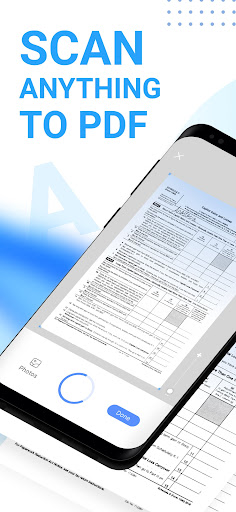
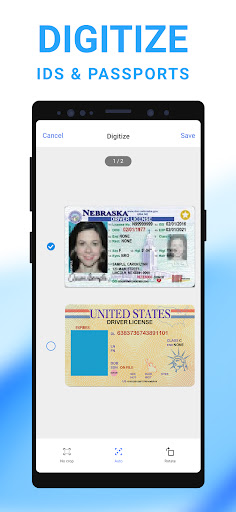
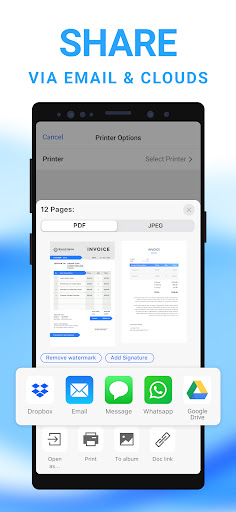
The app’s standout feature lies in its intelligent image processing. Simply point your camera at any document—be it a receipt, a whiteboard, or a faded business card—and Mobile Scanner automatically detects edges, corrects perspective, and enhances clarity. The result is a clean, shadow-free scan that rivals dedicated desktop scanners. You can then choose between PDF or JPEG output, with adjustable quality settings to balance file size and detail. Batch scanning is equally effortless: snap multiple pages, and the app merges them into a single document with automatic page ordering. This streamlined workflow shaves minutes off mundane tasks, making it ideal for high-volume use.
Smart Tools That Save Time: OCR, Cloud Sync, and More
What truly sets Mobile Scanner apart is its suite of smart features. Built-in Optical Character Recognition (OCR) converts scanned text into editable, searchable content. Need to copy a quote from a brochure or extract a phone number from a meeting note? Simply highlight the text after scanning. The app supports 40+ languages, ensuring versatility for global users. Additionally, its cloud integration is a game-changer: you can auto-sync scans to Google Drive, Dropbox, OneDrive, or directly to your email. The free version includes basic cloud connectivity, while the premium tier adds advanced filters, password-protected PDFs, and removal of watermark-free exports. This flexibility eliminates the bottleneck of manual file transfers, keeping your workflow uninterrupted.
User-Centric Design: Navigating with Ease
Mobile Scanner excels in accessibility. The interface is clutter-free, with a single toolbar for scanning, adjusting, and exporting. A built-in document library organizes scans by date or custom folders, with thumbnail previews for quick browsing. The app also offers manual adjustment tools—brightness, contrast, and color filters—for those who want granular control. Notably, it uses on-device processing, meaning your sensitive data never leaves your phone. This privacy-first approach is a major advantage over apps that upload files to external servers. The app runs smoothly on iOS and Android, supporting devices from budget models to flagships, with minimal battery drain during extended use.
Why It Outpaces the Competition
Compared to alternatives like Adobe Scan or CamScanner, Mobile Scanner strikes a rare balance between depth and simplicity. While Adobe Scan leans heavily on Adobe’s ecosystem (requiring a subscription for full functionality) and CamScanner has faced privacy concerns, Mobile Scanner offers a self-contained, ad-free experience without sacrificing advanced features. Its OCR accuracy is on par with paid tools, and the batch scanning speed often exceeds rivals. For users seeking a lightweight yet powerful scanning solution, this app eliminates annoying paywalls and subscription fatigue, delivering consistent value from day one.
Final Verdict: A Must-Have for the Modern Mobile Worker
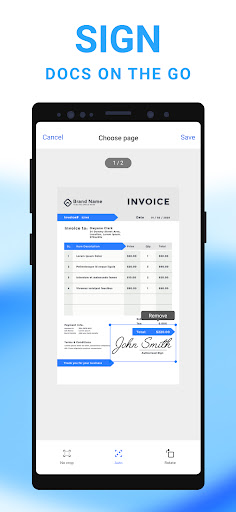
Mobile Scanner is more than a utility—it’s a productivity accelerator. From its flawless edge detection to its thoughtful cloud integration, every feature is designed to minimize friction. The app manages to be both approachable for newcomers and deep enough for power users, making it a versatile tool for students, freelancers, and corporate teams alike. If you’re tired of squinting at blurry phone photos of documents or juggling multiple apps to complete a simple scan, Mobile Scanner is the antidote. Download it once, and you’ll wonder how you ever managed without it. For a hassle-free, private, and feature-rich scanning experience, this app earns its place on your home screen.


