


“Navigation Bar” application can replace a failed and broken button for those people who has
trouble using buttons or navigation bar panel is not working properly.
This app provides several features and colors to make awesome navigation bar.
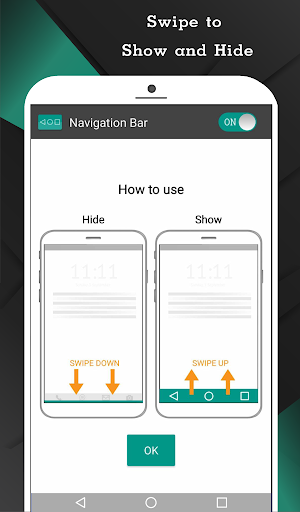
It is easy to swipe up and down navigation bar as assistive touch.
Key Features:
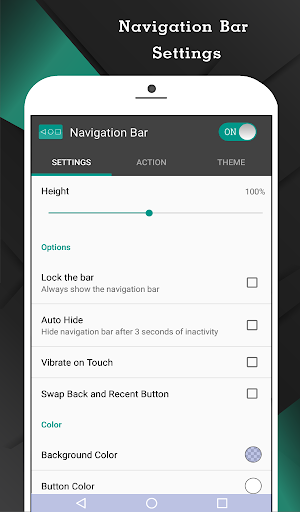
- Auto hide navigation bar with user-selected duration.
- Easy to swipe up/down to show/hide navigation bar.
- Single press action : Home, Back, Recent.
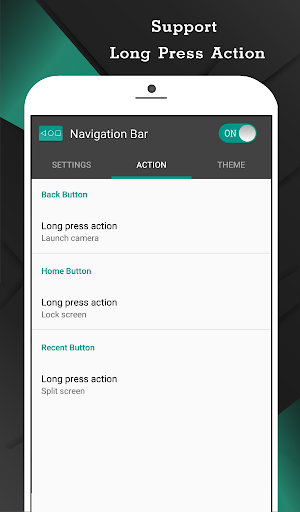
- Long press action for back, home, recent buttons. (See below for list of actions)
- Ability to change navigation bar with background and button color.
- Ability to set navigation bar size with height.
- Ability to Set vibrate on touch.
- Options to adjust "Swipe up sensitivity".
- Options to hide navigation bar when keyboard appear.
- Options to lock navigation bar.
- Options to adjust position of navigation bar in landscape mode.
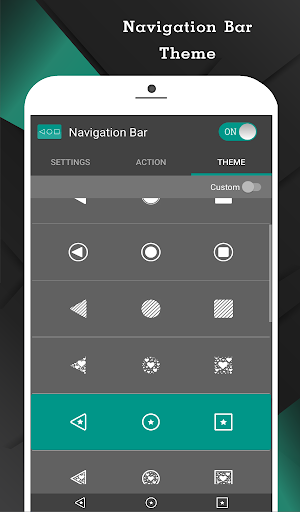
- 15 Themes Available.
- Switch on/off via notification. (Pro)
- Limit area of minimized navigation bar to prevent accidentally click.(Pro)
- Switch on/off via quick settings tile. (Android 7.0+) (Pro)
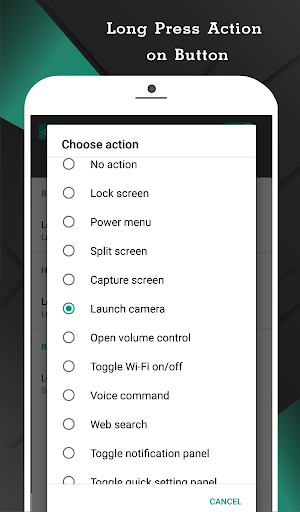
Support command for long press action
- Lock screen (require Device Administrator activation, If you already activate Device Administrator and you want to uninstall this application, it need to deactivate Device Administrator first. There will be an uninstall menu in 'Help' section to help you easily uninstall this application.)
- Toggle Wi-Fi on/off
- Power menu
- Split screen
- Launch camera
- Open volume control
- Voice command
- Web search
- Toggle notification panel
- Toggle quick setting panel
- Launch dialer
- Launch web browser
- Launch settings
- Launch this application
- Launch any application (Pro)
- Take a screenshot (Pro)
- Switch off navigation bar for 10 seconds (Pro)
*Unlocking pro version available inside an application
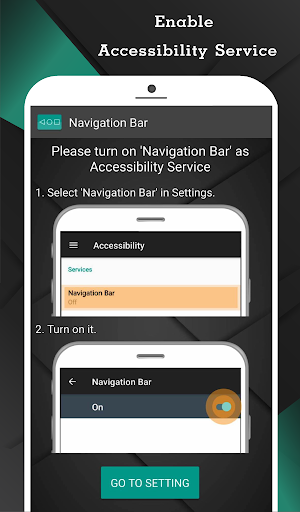
*This application uses Accessibility Services for Home, Back and Recent functions.


