

Bring Your Imagination to Life with ArtPlay
In the crowded landscape of mobile video editing apps, ArtPlay stands out as a refreshing tool for creators who want to transform ordinary footage into whimsical cartoon animations. Unlike generic editors that focus solely on filters or transitions, this app specializes in turning your videos into vibrant, hand-drawn-style masterpieces. Whether you’re a social media enthusiast, a parent documenting family moments, or a budding animator, ArtPlay offers a unique blend of simplicity and artistic flair that’s hard to match.
Effortless Cartoonization with Advanced AI
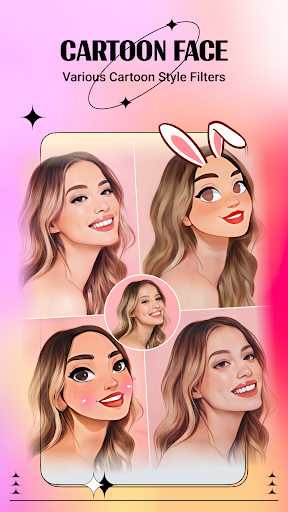
What truly sets ArtPlay apart is its intelligent cartoon effect engine. With just one tap, the app applies sophisticated AI algorithms that detect faces, objects, and backgrounds, converting them into smooth, stylized animations. The results are far from clunky—they mimic the fluid motion of classic animated films. You can customize the intensity of the cartoon effect, from subtle sketches to bold comic-book styles. For those who crave more control, the app provides adjustable parameters like line thickness and color saturation, giving professional-grade results without a steep learning curve.
A Creative Playground of Tools and Effects
ArtPlay goes beyond basic cartoonization by packing a comprehensive suite of editing tools. You can trim clips, adjust speed for time-lapse or slow-motion effects, and overlay fun stickers, text, and dynamic filters. The app also features a library of animated captions and transitions designed to complement the cartoon aesthetic. One standout feature is the ability to add custom soundtracks or voiceovers while syncing them to your video’s animation. This level of integration ensures your final product feels cohesive and lively, whether it’s a short clip for TikTok or a longer storytelling piece.
Performance and Usability: Smooth and Accessible
Despite its robust capabilities, ArtPlay maintains a user-friendly interface that even beginners can navigate. The layout is intuitive, with clearly labeled buttons and a logical workflow from import to export. The app processes videos quickly, even on older devices, thanks to efficient GPU acceleration. You can preview changes in real-time, saving you from tedious waiting. For creators on the go, ArtPlay supports exporting in high-definition (up to 1080p) without watermarks, making it ready for sharing on platforms like Instagram, YouTube, or WhatsApp. The free version includes generous daily exports, and the premium subscription unlocks unlimited access to all effects and removal of ads—a fair trade-off for frequent users.
Unique Selling Points in a Competitive Market
Compared to rivals like Cartoon Pro or Animate Me, ArtPlay excels in two key areas: diversity of styles and community-driven content. While other apps might offer a single cartoon filter, ArtPlay provides over 20 distinct animation styles, ranging from watercolor dreams to retro manga. Additionally, the app integrates a “Creative Gallery” where users can share their masterpieces and draw inspiration from others—a feature that fosters a sense of belonging. The app’s developers also release regular updates with seasonal themes and new effects, keeping the experience fresh. For those seeking a tool that balances creativity with ease, ArtPlay is a top contender that truly delivers.


