



Introduction to Screen Mirroring App
Screen Mirroring is a versatile mobile application designed to bridge the gap between your smartphone and other devices, such as TVs, computers, and projectors. With the increasing demand for seamless connectivity and the ability to share content across multiple platforms, this app stands out as a reliable solution for users who want to mirror their phone screens effortlessly. Whether you're presenting a slideshow, streaming videos, or gaming, Screen Mirroring offers a user-friendly experience that caters to both casual and professional users.
Key Features of Screen Mirroring
One of the standout features of the Screen Mirroring app is its compatibility with a wide range of devices. It supports popular platforms like Android, iOS, Windows, and macOS, ensuring that users can connect their smartphones to almost any screen. The app also boasts a simple and intuitive interface, making it easy for even non-tech-savvy individuals to set up and use. Additionally, Screen Mirroring offers high-quality streaming with minimal lag, ensuring a smooth and uninterrupted experience. Another notable feature is its ability to mirror both audio and video, providing a complete multimedia experience.
Ease of Use and Setup
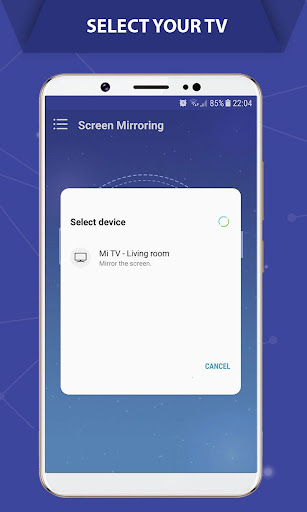
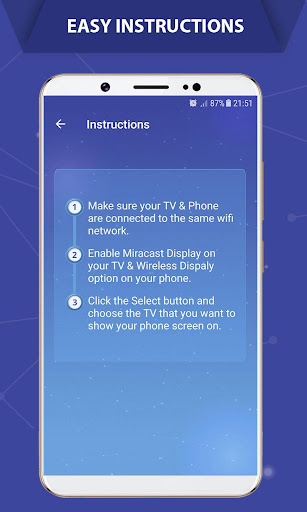
Setting up the Screen Mirroring app is a breeze. The app provides step-by-step instructions to guide users through the process, whether they're connecting via Wi-Fi, Bluetooth, or a direct cable connection. The intuitive design ensures that users can start mirroring their screens within minutes of downloading the app. Furthermore, the app supports multiple connection methods, giving users the flexibility to choose the one that best suits their needs. This ease of use makes Screen Mirroring an ideal choice for both personal and professional settings.
Performance and Reliability
When it comes to performance, the Screen Mirroring app delivers exceptional results. The app is optimized to provide high-quality streaming with minimal latency, ensuring that users can enjoy a seamless experience whether they're watching videos, playing games, or giving presentations. The app also includes advanced features like screen recording and screenshot capture, adding to its versatility. Moreover, the app is regularly updated to improve performance and add new features, ensuring that users always have access to the latest technology.
Security and Privacy
In today's digital age, security and privacy are paramount. The Screen Mirroring app takes these concerns seriously by implementing robust security measures to protect user data. The app uses encrypted connections to ensure that all data transmitted between devices is secure. Additionally, the app does not store any personal information, giving users peace of mind when using the app. These security features make Screen Mirroring a trustworthy choice for users who prioritize their privacy.
Conclusion
In conclusion, the Screen Mirroring app is a powerful and versatile tool that offers a wide range of features to enhance your multimedia experience. Its compatibility with multiple devices, ease of use, and high-performance streaming capabilities make it a standout choice in the crowded market of screen mirroring apps. Whether you're a casual user looking to share content with friends or a professional needing a reliable tool for presentations, Screen Mirroring has you covered. With its focus on security and regular updates, this app is a reliable and future-proof solution for all your screen mirroring needs.


