

Introduction: A Pocket-Sized Powerhouse for Photo Editing
In the bustling world of mobile photography, finding an editor that balances professional-grade tools with intuitive design can feel like a quest. Enter Pixlr, a free app that has consistently punched above its weight class for years. More than just a simple filter tool, Pixlr offers a surprisingly deep suite of features that cater to everyone from social media enthusiasts to semi-pro creatives on the go. This review delves into what makes Pixlr a compelling choice in a sea of mobile editing options.
A Dual-Editing Experience: Express and Editor
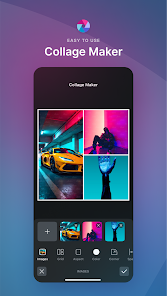
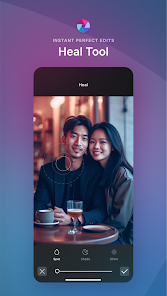
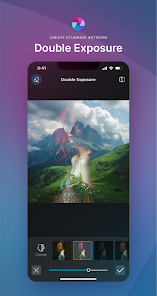
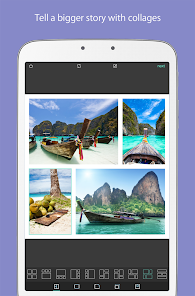
Pixlr’s brilliance lies in its two distinct modes: Pixlr Express and Pixlr Editor. Express is your gateway to quick, stunning results. It’s packed with one-tap auto-fixes, a vast library of stylish overlays, trendy filters, and fun stickers—perfect for crafting eye-catching Instagram stories or Facebook posts in seconds. When you need more precision, Pixlr Editor steps in. This mode unveils a layer-based editing environment reminiscent of desktop software, complete with curves, levels, selective color adjustments, and advanced blending modes. This dual-interface approach effectively future-proofs the app, growing with your skills from quick edits to complex compositions.
Standout Features and Creative Tools
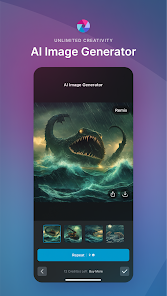
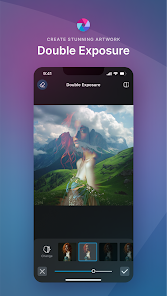
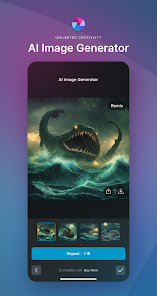
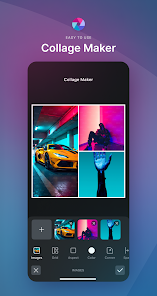
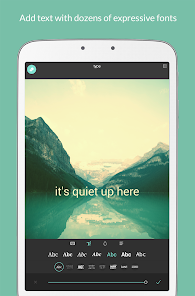
Beyond standard adjustments, Pixlr is loaded with unique assets. Its AI-powered tools are a game-changer. Features like the AI Cutout effortlessly remove backgrounds with impressive accuracy, while the AI Style Transfer can transform your photo into a piece of art mimicking famous painting styles. The app also boasts an extensive collection of overlays—from light leaks and bokeh effects to geometric shapes and textures—allowing for immense creative layering. Furthermore, its typography tools are robust, offering a wide selection of fonts with advanced controls for spacing, color, and effects, making graphic design for quotes or posters a breeze.
User Experience: Intuitive with a Minor Learning Curve
Navigating Pixlr is largely intuitive. The Express mode is delightfully straightforward, while the Editor mode, due to its power, presents a steeper but manageable learning curve. The interface is clean, with tools logically organized in a bottom toolbar. Performance is generally smooth, though processing heavy AI tasks or multi-layered projects on older devices may cause slight lag. The free version is remarkably generous but is supported by ads, which can be intrusive. A subscription removes ads and unlocks premium content, a trade-off common in the freemium model.
How It Stacks Up Against the Competition
Pixlr carves its niche by offering a middle ground between simplistic apps like Instagram’s built-in editor and professional behemoths like Adobe Lightroom Mobile. It provides more creative freedom and asset libraries than Lightroom for graphic design but may lack its raw photo processing depth for purists. Compared to other all-in-one apps, Pixlr’s combination of AI tools, a massive free asset library, and layer-based editing gives it a distinct competitive edge, especially for users who want to create composite images or marketing graphics without a monthly fee.
Final Verdict: Who Is Pixlr For?
Pixlr is a versatile champion in the mobile editing arena. It is perfect for bloggers, social media managers, small business owners, and hobbyists who need a reliable, all-in-one tool for both photo enhancement and graphic creation directly from their phone. Its freemium model allows you to achieve a tremendous amount at no cost, making it an exceptional value. While professionals might still rely on specialized desktop software for final deliverables, Pixlr stands as an incredibly powerful and portable companion for ideation, quick turnarounds, and creative exploration. For anyone serious about mobile creativity, downloading Pixlr is a no-brainer.


