




Pros
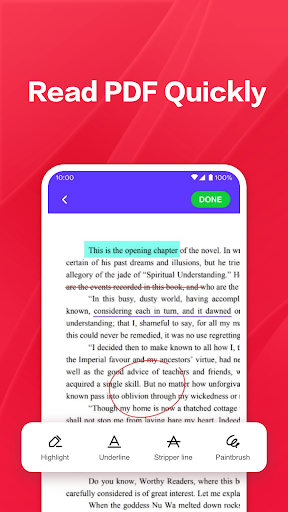
Blazing-fast PDF rendering and intuitive navigation make opening, searching and scrolling large documents effortless. The viewer supports multiple file formats, thumbnail browsing, bookmarks, and page thumbnails, delivering smooth performance even on older devices consistently. Fast load times and responsive taps reduce frustration and speed up reading and referencing.
Powerful annotation and editing tools let you highlight, underline, add comments, insert shapes, and draw freehand with precision. Built-in form filling, digital signature capture, and redaction options streamline workflows for reviews and approvals. Customizable toolbars and sticky notes help teams collaborate on documents without leaving the app.
Comprehensive file management and cloud integration let you sync PDFs across Google Drive, Dropbox, OneDrive, and local storage for instant access. Advanced OCR converts scanned pages into searchable text, while password protection, permissions, and encryption safeguard sensitive documents, making sharing and archiving secure and organized with smart tagging and fast search.
Cons
PDF Reader - PDF Viewer relies heavily on ads and gated features; many essential tools like OCR, advanced editing, and cloud sync require a paid subscription. Persistent ads disrupt reading and the free tier feels limited, often nudging users to upgrade for a smooth, fully functional experience on mobile devices.
Editing capabilities are restricted unless you pay: text editing, form filling, and reliable OCR for scanned documents are often locked behind premium. Annotations can be basic, exported edits or conversions sometimes lose formatting, and collaborative editing and version control are weak compared to desktop alternatives, limiting complex document workflows.
Performance and file management can be inconsistent: large PDFs may load slowly or cause the app to lag or crash. The app’s organization and cloud integration are basic, making cross-device syncing and bulk operations cumbersome. Some users also report unclear privacy and data retention practices regarding uploaded documents.


