


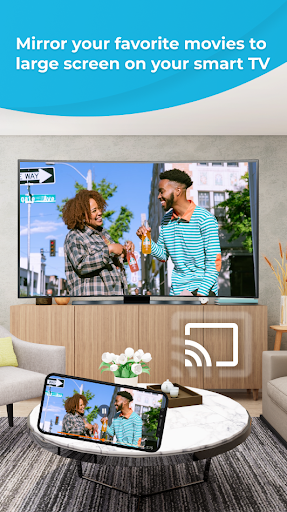


"Your little smartphone and tablet screens are good on the run, but you wanna use a TV’s much larger screen instead? Sharing your Phone Screen With the TV is now easier with this Screen Mirroring App. This application is useful for streaming movies, videos, access photos and apps on the TV screen. You can easily connect your smartphone with your TV wirelessly. You can search your favorite TV shows and series and easily stream them anytime on your TV screen by using this Cast To TV App.
This Screen Mirroring App is the best tool to connect your phone to any Smart TV without Hdmi and no delay. It assists you to scan and share screen from androi phone, wireless dongles, tab's screen or adapters and get a great large screen experience by connecting your phone to a TV screen via This Cast To TV App and easily stream videos, images, musics to the big TV screen!
This Cast To TV App helps you to connect androi phone's screen to TV and also allow mirror wirelessly to Chromecast, Roku, Amazon Fire Stick or Fire TV, Xbox, Apple TV, Samsung, LG, Sony, TCL, Vizio, Hisense...TVs or other DLNA Devices. You can watch online videos, local videos, musics, images or play games on TV.
This Screen Stream Mirroring is the most powerful app for mirroring and broadcasting your Android screen and audio in real time. It is a free Multimedia Player for the Android such as Video Player. So you can watch all popular videos and audio formats on your phone or TV by sharing through screen mirror.
Screen Mirror Connect With TV provides an easy shortcut and widget to use the Miracast external display screencasting feature included in Android 4.2 and above! Screen Mirroring Able to play videos, music, photos, etc in my Smartphone with any devices (smartphone, smart TV, laptop, tablet,...) at anywhere.
Share Screen Phone to TV is the easiest phone video player, has a powerful video decoding capability to easily support you play almost all video files stored on your phone. You can share your Android screen live to any other device or PC on your local network, via a media player, web browser or UPnP compatible devices.
In conclusion, if you are tired of searching the greatest Apps for mirroring your small screens into bigger screens to get awesome experiences, here is the best and most user-friendly Screen Mirroring App. All you need is to make sure that your smartphone/tablet and your TV are connected to the same WIFI network in order for the app to work successfully.
Features:
- Easy to use app and control TV with your phone
- Simple to cast videos, images, musics or games to the TV
- Auto search for available devices
- Identify files on your device automatically
- Mirror audio files or music without delay.
Quick guides to use this app:
- Turn on your phone and the TV, then connected to the same WIFI network.
- Tap ""connect"" button to connect the app with your TV.
- Start mirroring or casting your videos, images and movies to your TV.
- Enjoy!
If you are searching for How to Connect Phone to TV Without Hdmi then this is the best app. We promise you a comfortable screen mirroring from your smartphone to the TV.


