


Introduction: The AI Companion That Redefines Productivity
Microsoft Copilot has emerged as a transformative force in the mobile app landscape, offering a seamless bridge between advanced artificial intelligence and everyday tasks. As Microsoft’s answer to the growing demand for AI-powered assistance, this app integrates cutting-edge language models with the company’s deep ecosystem of tools, making it a standout choice for students, professionals, and creatives alike. Unlike generic chatbots, Copilot is designed to be a proactive, context-aware companion that doesn’t just answer questions but actively enhances your workflow. Available on both iOS and Android, it’s quickly becoming the go-to solution for those seeking efficiency without sacrificing quality.
Core Features That Set It Apart
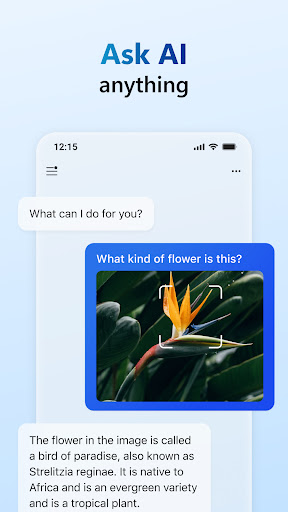
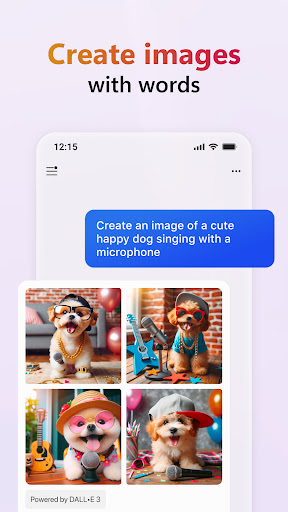
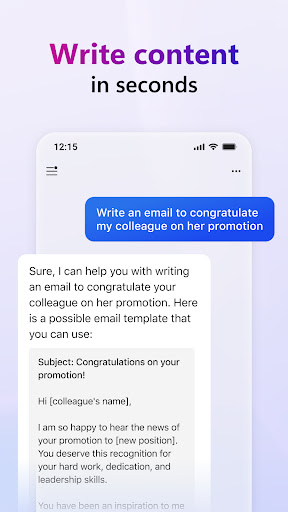
At its core, Microsoft Copilot leverages GPT-4 technology, ensuring responses that are not only accurate but remarkably human-like. One of its most compelling features is the ability to generate, summarize, and refine content in real time—from crafting emails and reports to brainstorming ideas for projects. The app also excels in image recognition and creation; you can upload a photo and ask Copilot to analyze its contents, or describe a scene and receive a detailed image in return. This multimodal capability is a game-changer, allowing users to interact with the AI in a visual and textual manner without limitations. Additionally, Copilot offers web search integration, pulling up-to-date information from the internet to provide comprehensive answers, a feature that sets it apart from offline-only alternatives.
Seamless Integration with Your Digital Life
What truly makes Microsoft Copilot shine is its deep synergy with popular apps like Word, Excel, and Outlook. On mobile, this extends to effortless synchronization with your Microsoft 365 account, enabling you to draft documents, analyze data trends, or organize schedules directly through the app. For instance, you can ask Copilot to summarize a lengthy email thread or suggest improvements to a presentation—all without switching between platforms. This tight integration reduces friction, saving time and mental energy. Even for users outside the Microsoft ecosystem, Copilot remains highly functional, supporting a wide range of third-party services and offering a intuitive interface that adapts to your habits over time.
User Experience: Intuitive, Fast, and Reliable
The app’s design philosophy prioritizes simplicity without compromising power. The clean, minimalistic interface ensures that even first-time users can navigate effortlessly. Conversations flow naturally, with Copilot remembering context across sessions, so you can pick up where you left off. Performance is consistently impressive—queries are processed in seconds, and the AI demonstrates a strong grasp of nuance, handling complex requests like drafting code snippets or explaining scientific concepts with ease. Battery consumption remains low, and offline caching for frequently accessed data enhances responsiveness. While occasional inaccuracies can occur, as with any AI, Microsoft’s regular updates and transparency about limitations show a commitment to continuous improvement.
Unique Selling Points: Privacy, Accessibility, and Cost
In a market crowded with AI assistants, Microsoft Copilot distinguishes itself through key advantages. Privacy is a major priority—Microsoft assures that user data is encrypted and not used for training models without explicit consent, a reassurance that many competitors overlook. Accessibility is another strength; the app is available for free, with premium features unlocked through a Microsoft 365 subscription, making it affordable for individuals and businesses alike. Moreover, Copilot’s multilingual support and voice input options break down barriers for diverse users worldwide. These factors, combined with Microsoft’s reputation for enterprise-grade reliability, position Copilot as a trustworthy and versatile tool.
Conclusion: Why You Should Download It Today
Microsoft Copilot is more than just a chatbot—it’s a productivity powerhouse that adapts to your needs, whether you’re managing a team, studying for exams, or exploring creative projects. Its blend of advanced AI, ecosystem integration, and user-centric design makes it a compelling choice for anyone looking to streamline their digital life. While no tool is flawless, Copilot’s consistent updates and robust feature set ensure it remains at the forefront of mobile AI innovation. If you’re ready to elevate your efficiency and unlock new possibilities, downloading Microsoft Copilot is a step you won’t regret. Start today and experience how AI can truly enhance your world.


