

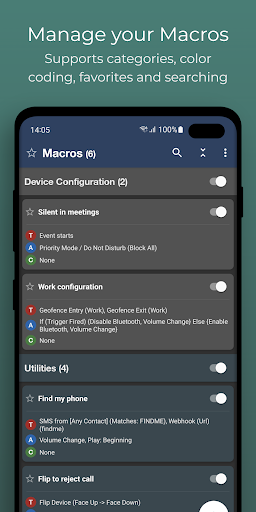
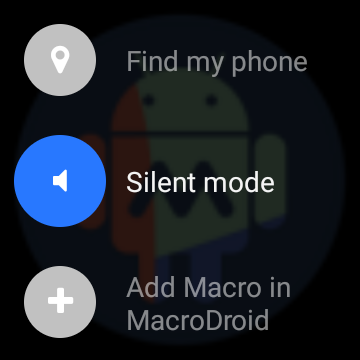
MacroDroid is the easiest way to automate tasks on your Android smartphone or tablet. Via the straightforward user interface MacroDroid makes it possible to build fully automated tasks in just a few taps.
A few examples of how MacroDroid can help you to get automated:
# Optimize your daily workflow on your phone; switch on bluetooth and start playing music when you enter your car. Or switch on WiFi when you are near your house.
# Reduce battery drain (like dimming your screen and switching Wifi off)
# Saving on roaming costs (automatically switch off your Data)
# Increasing safety during commuting by reading your incoming notifications (via Text to Speech) and sending automated responses via email or SMS
# Make custom sound and notification profiles.
# Remind you to do certain tasks using timers and stopwatches.
These are just a few examples out of limitless scenarios where MacroDroid can make your Android life a little easier. With only 3 simple steps this is how it works:
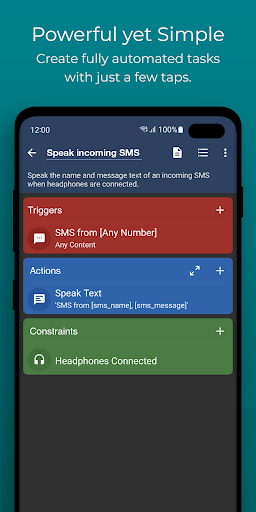
1. Select a Trigger.
The trigger is the cue for the macro to start. MacroDroid offers over 70 triggers to start your macro, i.e. location based triggers (like GPS, cell towers, etc), device status triggers (like battery level, app starting/closing), sensor triggers (like shaking, light levels, etc) and connectivity triggers (like Bluetooth, Wifi and Notifications).
Macros can be triggered automatically, but it is also possible to create a shortcut on the homescreen of your device or start using the unique and customizable Macrodroid sidebar.
2. Select the Actions you like to automate.
MacroDroid can perform over 100 different actions, that you typically would do by hand. Connect to your Bluetooth or Wifi device, select volume levels, speak text (like your incoming notifications or current time), start a timer, dim your screen and many more.
3. Optionally: Configure Constraints.
Constraints help you to let the macro fire only when you want it to.
Living near your work, but only want to connect to your company's Wifi during work days? With a constraint you can select specific times or days that the macro can be invoked. MacroDroid offers 50 constraint types like: battery level, connected devices, time and day constraints, headphones insterted and many more.
MacroDroid is even compatible with Locale and Tasker plugins to expand the range of possibilities even further.
For beginners
===========
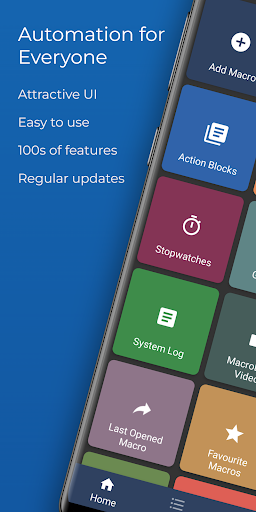
MacroDroid's unique interface offers a Wizard that guides step by step through the configuration of your first macros.
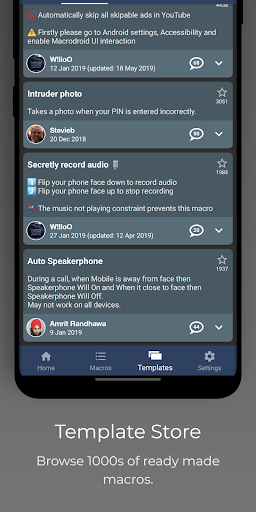
It is also possible to use an existing template from the template section and customize it to your needs.
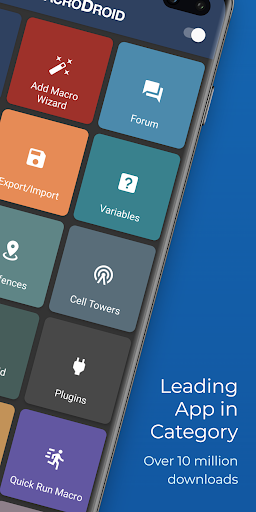
The built-in forum allows you to get help from other users, allowing you to easy learn the ins and outs of MacroDroid.
For more experienced users
=======================
MacroDroid offers more comprehensive solutions like the use of Tasker and Locale plugins, system/user defined variables, scripts, intents, advance routing like IF, THEN, ELSE clauses, use of AND + ORs
The free version of MacroDroid allows you to configure up to 5 macros. The Pro version (a small one time fee) unleashes the full power of MacroDroid and lets you create an unlimited amount of macros.
Running in background
===================
If you have issues with the app not staying alive in the background please see http://dontkillmyapp.com
Support
=======
Please use the in-app forum for all usage questions and feature requests, or access the forums via www.macrodroid.com.
To report bugs please use the built in 'Report a bug' option available via the settings.
Notices
======
This app uses the Device Administrator permission (BIND_DEVICE_ADMIN). This permission is used by the failed login trigger (nothing else) and will only be enabled if you explicitly give MacroDroid device admin access from within the app.


